Make today feel manageable.
Plan tasks, appointments and routines. Build habits, use a focus timer and see your daily progress without jumping between apps.
Daily planner · Habits · Focus LifeOSBuilt for Windows
Your studies. Your money. Your plans for tomorrow.
One calm place to bring it all together.
Finding the latest Windows installer.
Release notes & downloads ↗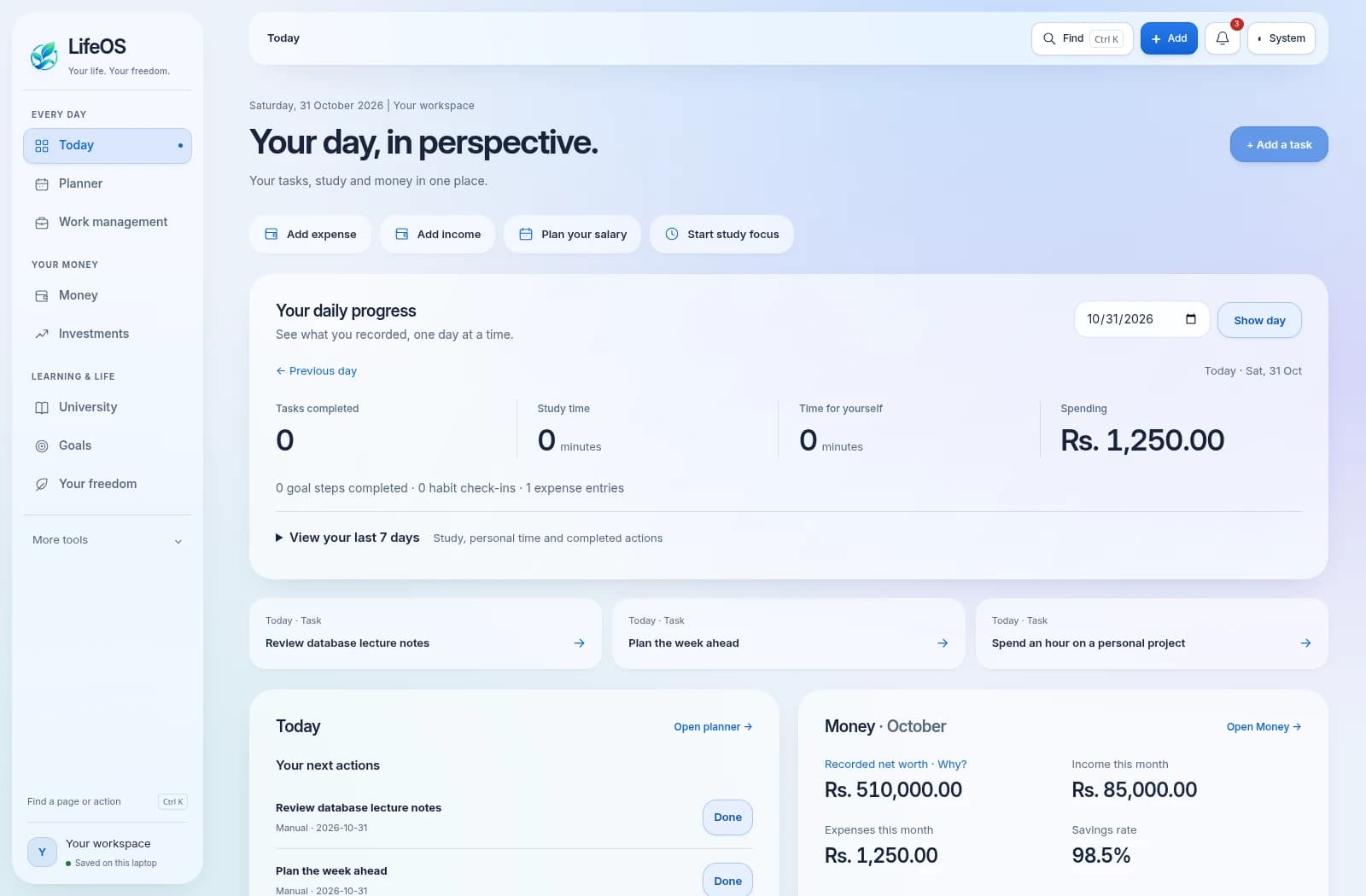
Life gets busy. Assignments, everyday spending, personal projects and the goals you keep meaning to start. LifeOS brings the details into focus, so you can spend less time keeping track—and more time moving forward.
Plan tasks, appointments and routines. Build habits, use a focus timer and see your daily progress without jumping between apps.
Daily planner · Habits · FocusTrack income, expenses, accounts and budgets. Plan your salary, set savings goals and keep bill and loan reminders close by.
Budgets · Savings · InvestmentsKeep modules, assignments, exams and your timetable together. Track your GPA and connect a supported NIBM lecture calendar with your university sign-in.
University · GPA · Lecture calendarBreak personal goals into steps, track skills and courses, reflect on lessons learned and make time for life beyond work.
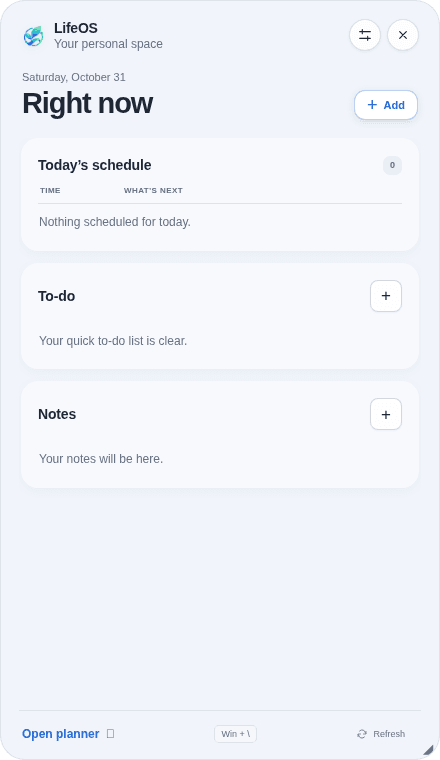
Goals · Career · ReflectionPress Win + backslash for a desktop panel with today’s schedule, quick notes and to-dos. Choose its size, position, appearance and what you want to see.
Desktop panel · Notes · RemindersOrganize documents and work projects. Export records and create passphrase-encrypted backups of your database and documents.
Documents · Projects · BackupsA quick glance at today’s schedule. A note before the idea slips away. A to-do you can tick off without losing your flow.
Move it. Resize it. Choose a theme and text size. Show the parts that matter to you.
Your LifeOS records stay on your computer. Start without a LifeOS account, use the core tools offline and make encrypted backups when you need to take a copy with you.
Get LifeOS for your Windows PC and build a workspace around your life.
Finding the latest Windows installer.
Release notes & downloads ↗LifeOS is built for 64-bit Windows 10 and Windows 11. The Windows installer includes the app’s required runtime components. A Mac or Linux desktop installer is not currently available.
You do not need a LifeOS account. Core planning, money and study tools work offline. Downloading updates and connecting a university calendar require internet access; the university connection uses your own university sign-in.
Your records are stored locally on your PC. An optional PIN protects the interface; it does not encrypt the database. Use passphrase-encrypted backups when exporting sensitive records and keep a separate backup copy.
Versions with the updater check for published releases while the app is online. A verified update downloads in the background and installs on a later launch. Copies without the updater need the newer Windows installer once. Your records are excluded from update packages.
No. The preview uses fictional sample records to show the interface. A fresh installation starts with your own empty workspace; it does not include the balances, assignments or tasks in the image.